If you want to improve in any video game, it is a good idea to take a page or two out of a professional player's book, and Valorant is no different. You won't instantly become a crazy good aimer like TenZ if you copy his crosshair and mouse DPI; however, finding the optimal settings is a good starting point to improve our gameplay.
Not everyone has access to high-end CPUs, GPUs, 244 Hz monitors, etc., including some pro players. They come from different backgrounds or other titles, so they often like to keep using settings they are used to, even when they switch to high-end PCs.
Keep in mind that if some settings work for someone, it doesn't mean it will work for you. Feel free to test and adjust different options to find the optimal ones for you.
Performance over anything
The number one priority when adjusting your settings should be your PC performance. Try to maximize your FPS, regardless of how good your PC is. The target should be consistently getting at least 60, but the more FPS, the smoother the game.
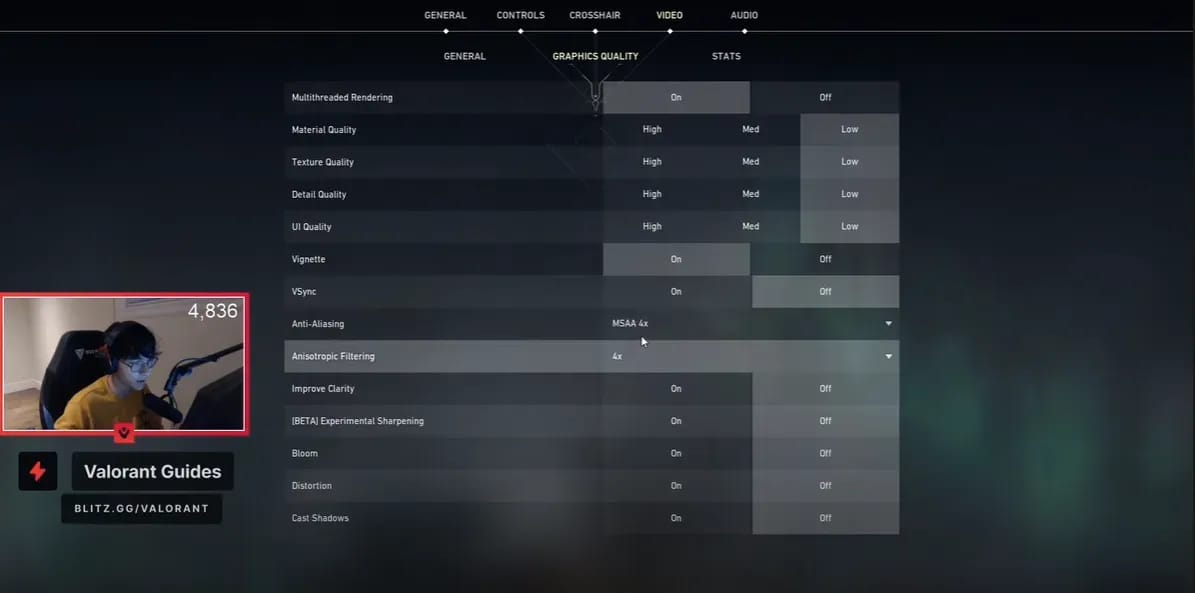
TenZ graphic settings
That is why most pros like TenZ keep the Graphics quality settings on LOW with almost all features turned off. The game itself won't look much worse, but it will make a huge difference performance-wise. Also, make sure your display settings are set to regular fullscreen mode to maximize FPS.
Resolution
According to Prosettings.net, 77% of pros use the standard 1920x1080 and 16:9 aspect ratio. Since Valorant is made to run decently on lower-end PC-s, a lot of you will be able to play with this resolution and still have good FPS.
However, some pros like to play with a stretched resolution such as 1440x1080 or 1280x960. Unlike in games such as CS:GO, it doesn't give any real advantages in Valorant besides more FPS due to lower resolution. However, feel free to test it out and see if it suits you.
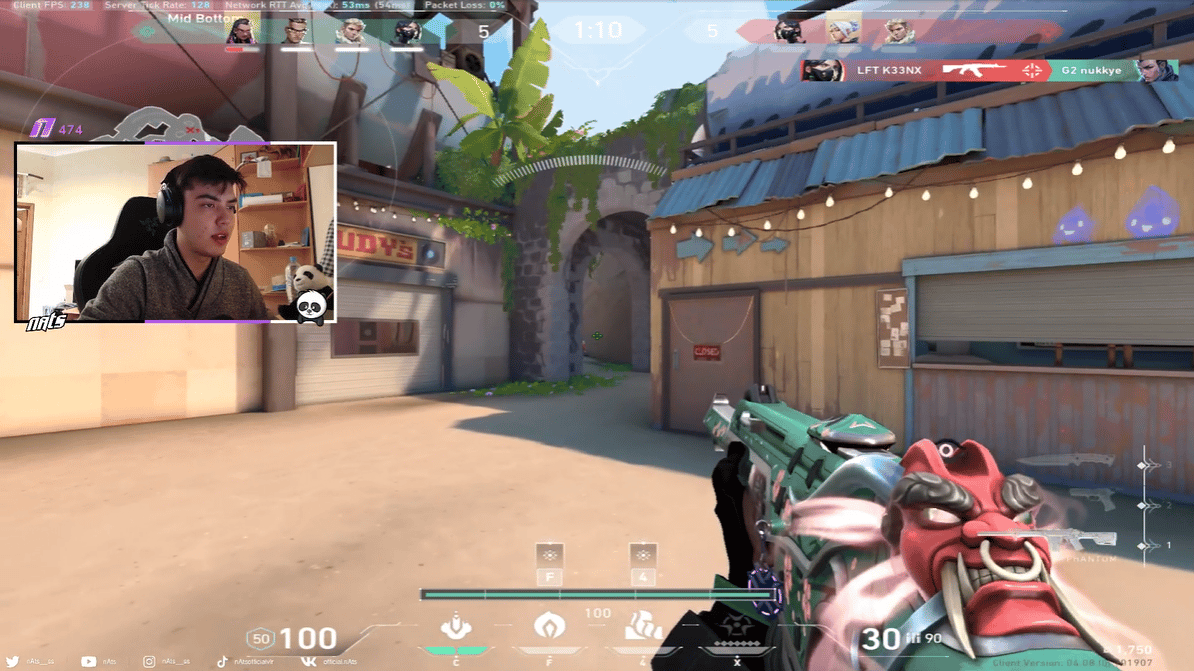
M3C(Gambit) nAts plays with 1280x960 "stretched" resolution
Mouse Settings
There are two main mouse settings for you to modify, DPI(Dots per inch) and in-game sensitivity. When it comes to DPI, over 90% of Valorant pros are evenly split between 400 and 800 DPI. It is a minor difference as you still need to set your in-game sensitivity to get the final result.
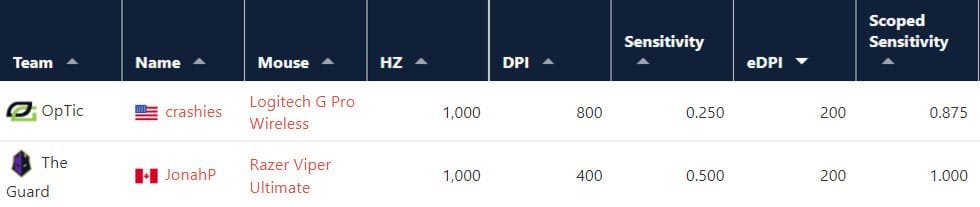
When you multiply your in-game sensitivity with your mouse DPI, you get effective DPI or simply eDPI.
Source: prosettings.net
For example, OpTic Gaming crashies has DPI set to 800 and in-game sensitivity set to 0.250, while The Guard's JonahP plays with 400 DPI and 0.500 in-game sens. Even though they seem to play with different mouse settings, their effective DPI is 200, which means they have identical sensitivity in practice.
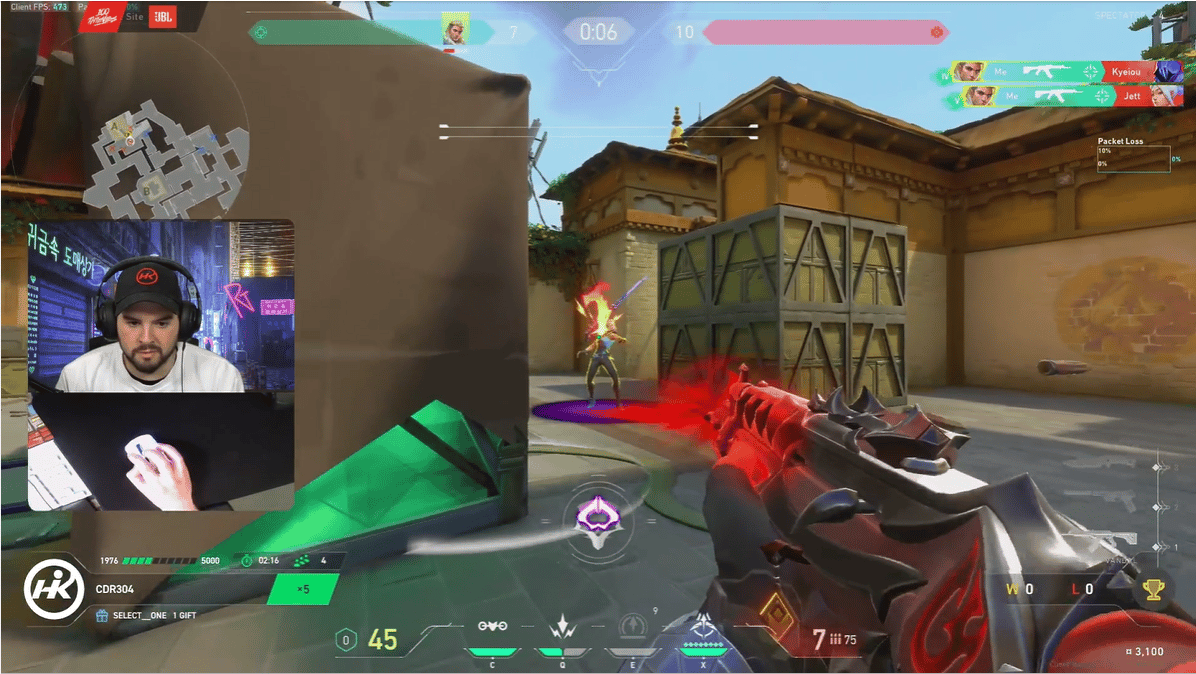
The higher your eDPI, the more your cursor moves when you drag your mouse. Some players, such as 100T Hiko(576 eDPI), and Gambit d3ffo(438 eDPI), like to play on very high sensitivity; however, this requires extremely precise wrist movement, and it is very hard to pull off consistently.
The majority of players are in the 200 to 400 eDPI range, and the average is 280. It means that an average pro needs to move his mouse 46 centimeters(18 inches) to do a full 360° turn in the game.
TenZ explains how to set up sensitivity
When it comes to scoped sensitivity, most pros have it set on 1. It means that your ADS sensitivity is the same as your scoped sensitivity. Some pros like to scale it down a little bit, so the average is 0.97, but most of you will be just fine with the default.
Other in-game settings
Valorant is very customizable, and there are tons of settings you can change and adjust. You will be just fine with most of them set to default; however, we have some more tips pros use to get small advantages.
Minimap is very important in Vaorant, so make sure it is easy for you to read at all times. Set it to "rotate," Keep players centered "on," Minimap size at "1.1", Minimap zoom at "0.9", Minimap vision cones "on," and Show map regions on "Always."
Digital Vibrance is a feature on your graphics card you can use to modify saturation and brightness. Brighter colors can help you see Agents and their abilities easier so you can react faster.
Also, a lot of pros use colorblind mode and set the Enemy highlight color to "Yellow." Top pros use it to gain an advantage as the yellow outline on the enemy agent model is easier to spot than the default red.
Hiko sets digital vibrance to maximum and uses yellow enemy highlight color
Crosshairs
Now when you know how to optimize your settings to up your performance, it is time to find the right crosshair for you. Although not crucial, an optimal crosshair can be very helpful for your aim.
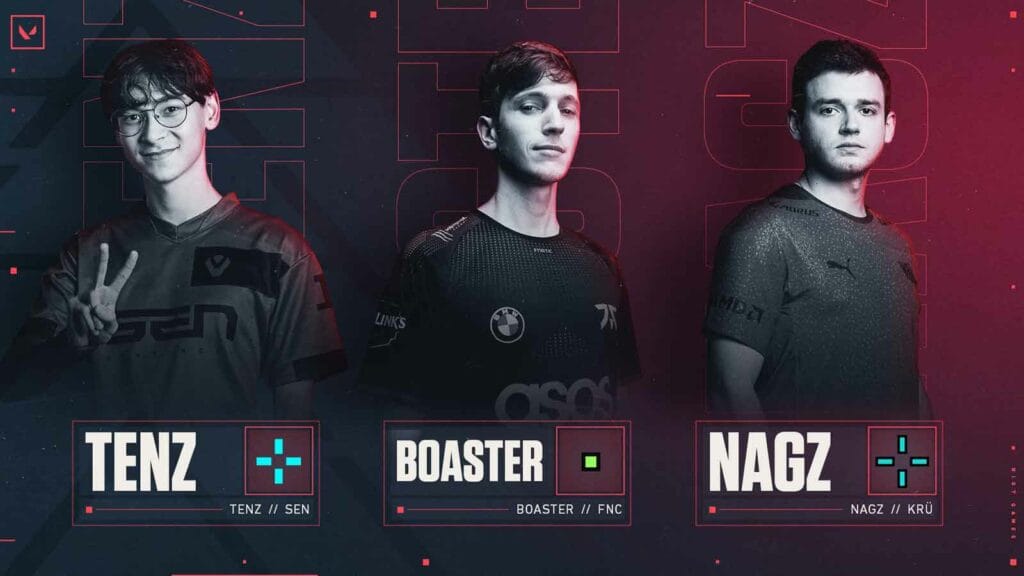
When it comes to pro players' crosshairs, they come in all shapes, sizes, and colors. From dot crosshairs used by Team Liquid's Scream and Acend's zeek and standard small crosses such as Sentinels' TenZ or Fnatic's Derke prefer to circle crosshairs used by IGZIST's Lakia and NRG's ethos.
Source: Riot Games
The options are endless, and you should experiment with different crosshairs until you find the one you feel comfortable using.
Riot has recently introduced crosshair codes to Valorant, so you don't have to spend hours trying to replicate the same crosshair your favorite pro player uses. Now you can simply copy his crosshair code and import it into your game.
Here are the codes of some of the best Valorant players in the world that you can try:
This is one of the features we've been most excited about, and we're genuinely happy to finally introduce it. Clans are here.
The idea is simple enough to say in a sentence: the games you already play should add up to something, and they should add up with the people you already play them with.
Wh
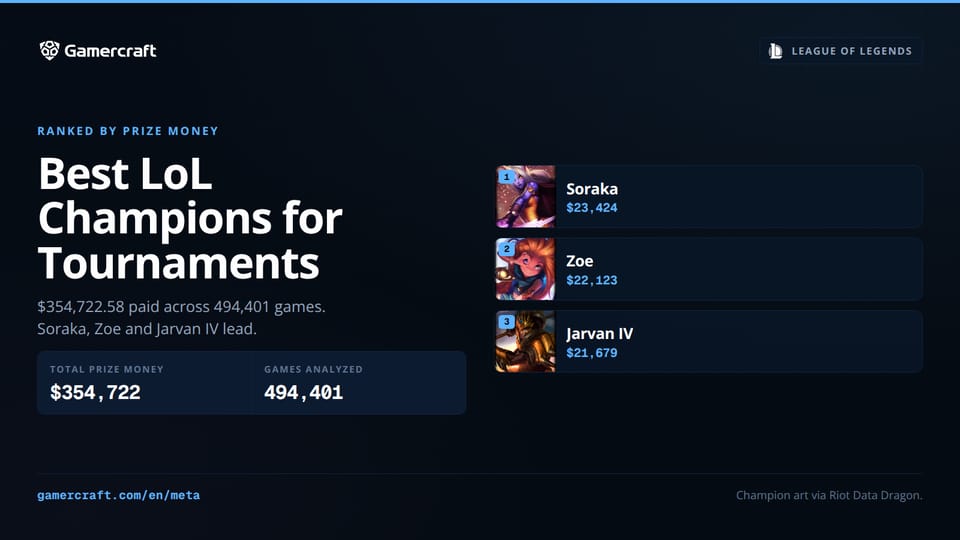
Solo queue tier lists rank champions on win rate. We ranked all 173 on the prize money they actually earned: $380,308.98 across 523,950 League games in 12 months. The top three are Soraka, Zoe and Jarvan IV, and not one ADC made the cut.



 Thomas RuizSeptember 19 min